
Coinomi itself is not an exchange, but we do have services provided by partners that are integrated directly inside the app and on our website.
Exchanging via the Website:
- Open our page coinomi.exchange on your browser, select which asset you want to send, which receive and the amount. We will show the best rate available, or you can choose a specific service by pressing the ⚙️ icon.
- Enter the address where you want to receive the exchanged coins, as well as an address of the coin you are sending where you can receive a refund in case anything goes wrong with the order
- Send the coin to the address that will be loaded on the page. Be sure to send the exact amount specified. Once you send the transaction, the swap will be automatically processed by your chosen exchange partner. They will send you the other coin back within a few minutes after your transaction confirms on the blockchain. You can bookmark the order page to check the status of the exchange later.
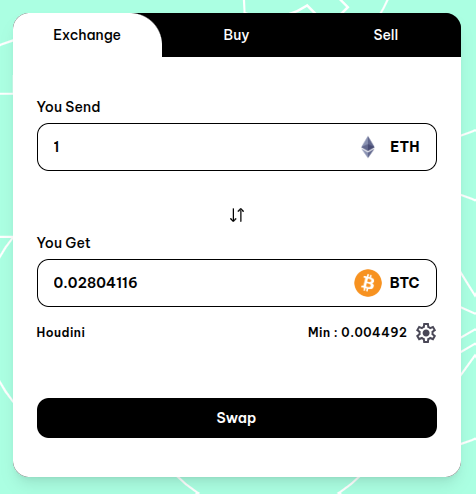 | 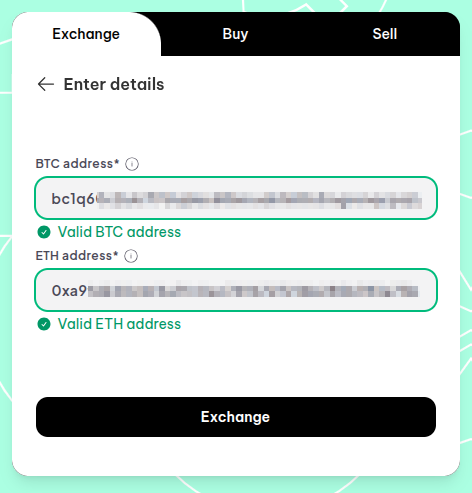 | 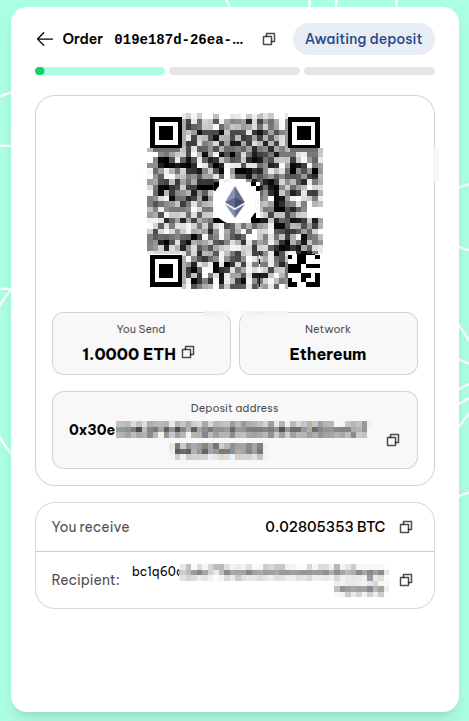 |
Exchanging via the app:
To exchange from one blockchain to another, select "Exchange". This tool connects to the service of several of our partners and automatically shows the one with the best rate. Check the values that you will send and receive, and authorize the transaction only if you agree.
Exchange history and status:
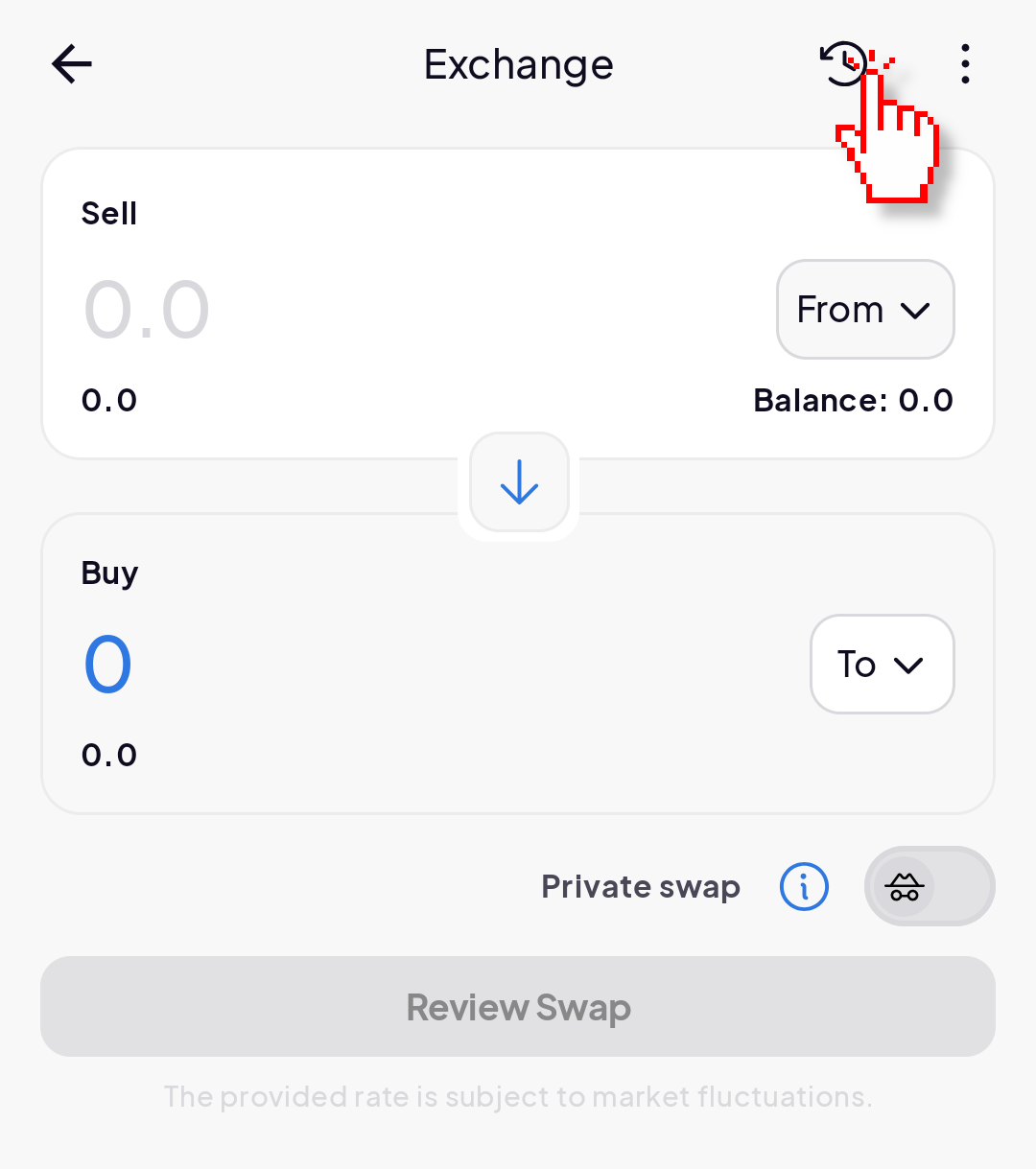
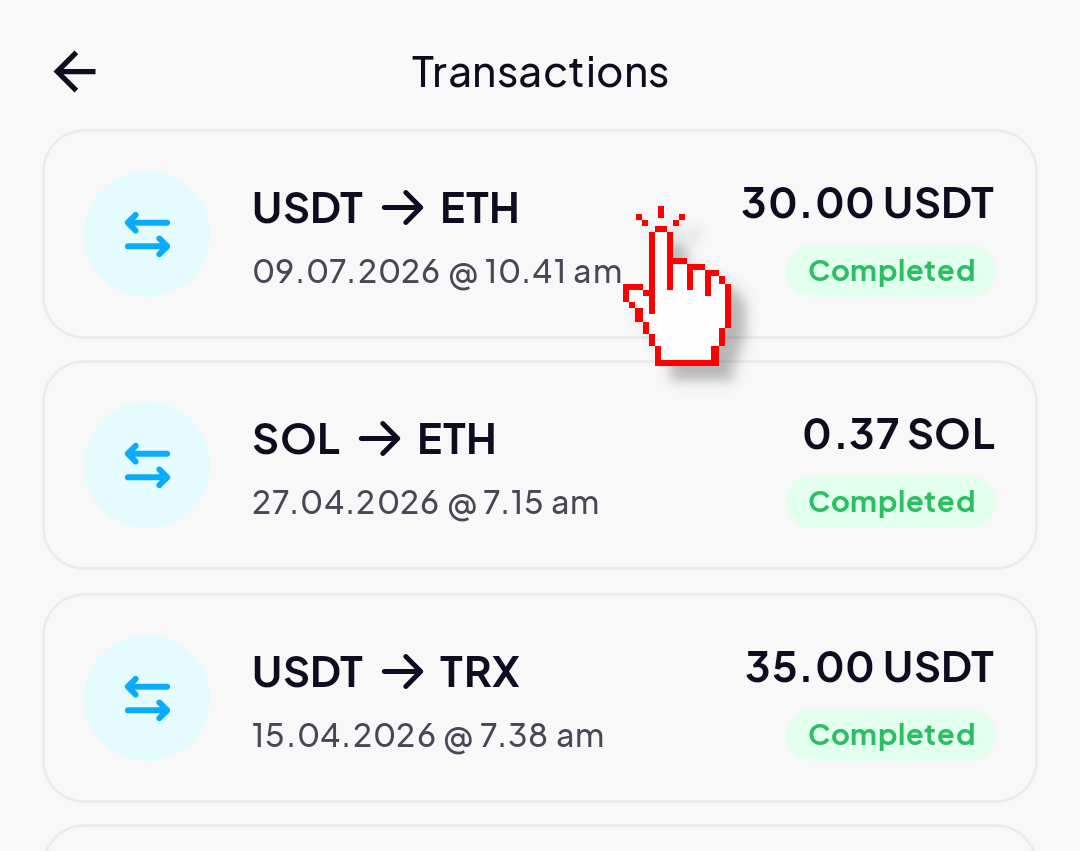
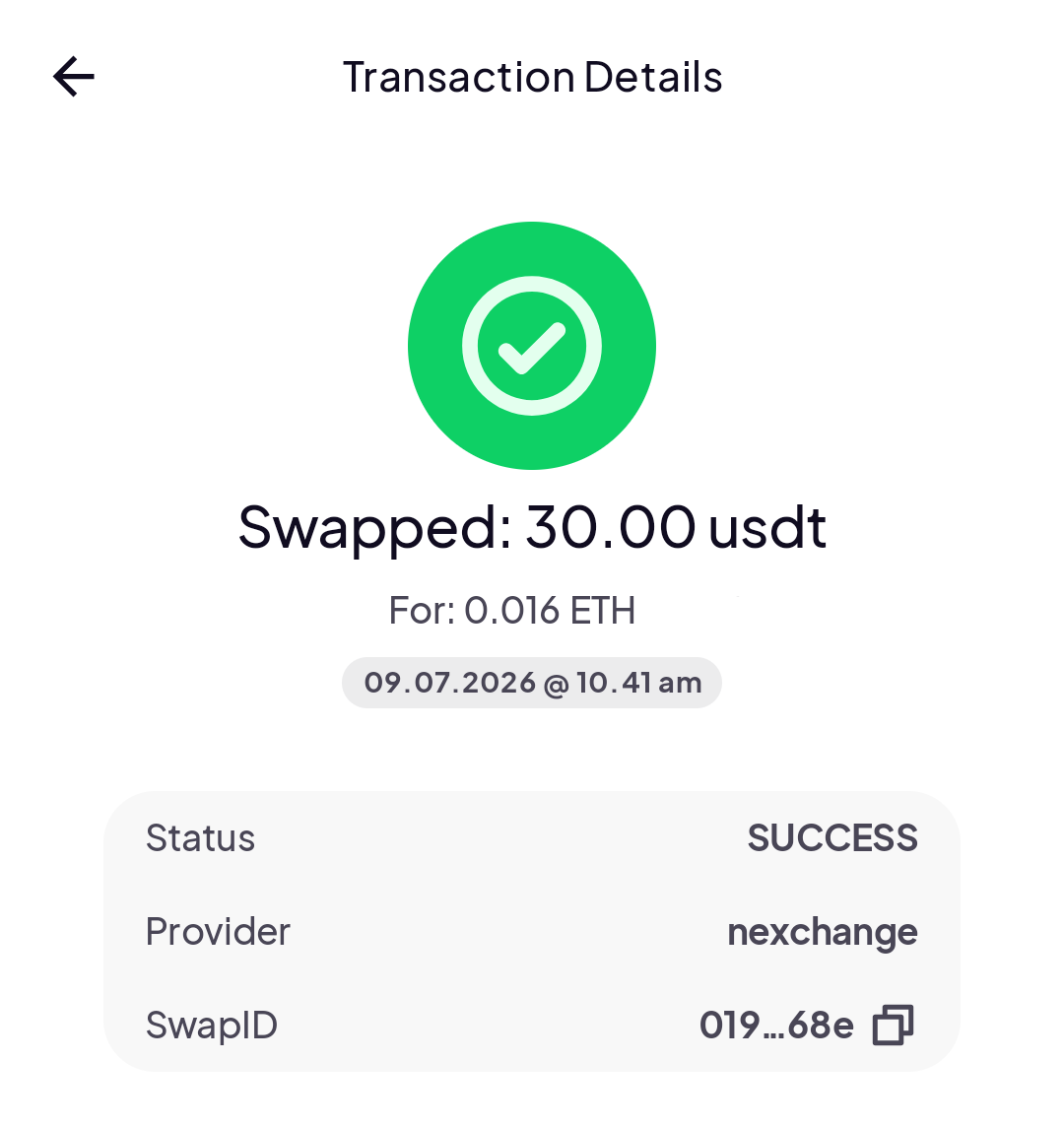
You can see the status of an exchange directly from the exchange history in the app. For this, open the exchange section in the app, and at the top right corner of the screen select "Exchange history". There you will find a list of your exchanges made in the app and can select them to get more details.
 |  |  |  |
 | |||
Exchange errors:
Assets not available on the list for exchange: unfortunately not all assets that Coinomi supports may be supported by our exchange partners. The list in the app will only show assets that are supported by both. We're constantly growing our partner base, as well as they are constantly growing their support. If you can't swap some assets today, check again some other day as support for it may have been added.
High value exchanges: to follow anti-money laundering regulations, high-value exchanges can be put on hold by our partners, which will then require to perform KYC and identity verification. You will need to contact the exchange directly, informing the exchange ID so they can guide you through the process. Coinomi is not part of this process in any way and continues being an anonymous wallet. We never have access to user information shared with our partners.
In case of other exchange errors, please contact our support so we can help check the issue.
DEX:
To exchange between assets exclusively on the Ethereum blockchain, you can select the "DEX" option. This will open Coinomi's dApp browser connecting your Ethereum wallet to the Bebop decentralized exchange. Operations using this service are instant and are completed in a single transaction -- the same transaction sending funds out to be exchange is also the one where you receive the other asset back. Before sending a token, you may required to send an "authorization" transaction. This authorizes the DEX smartcontract to operate with the tokens you want to send. This is only needed once for each token.
Jupiter:
Same as the DEX option above, selecting "Jupiter" uses the Jupiter decentralized exchange on the Solana network, connecting it to your Solana wallet in Coinomi.